PickPlan
The to-do board that moves itself.
Sort by importance & urgency — and as a deadline nears, what matters rises to the top.
Android 8.0+ · ~13MB · v1.1 · No account needed · English & 한국어
The to-do board that moves itself.
Sort by importance & urgency — and as a deadline nears, what matters rises to the top.
Android 8.0+ · ~13MB · v1.1 · No account needed · English & 한국어
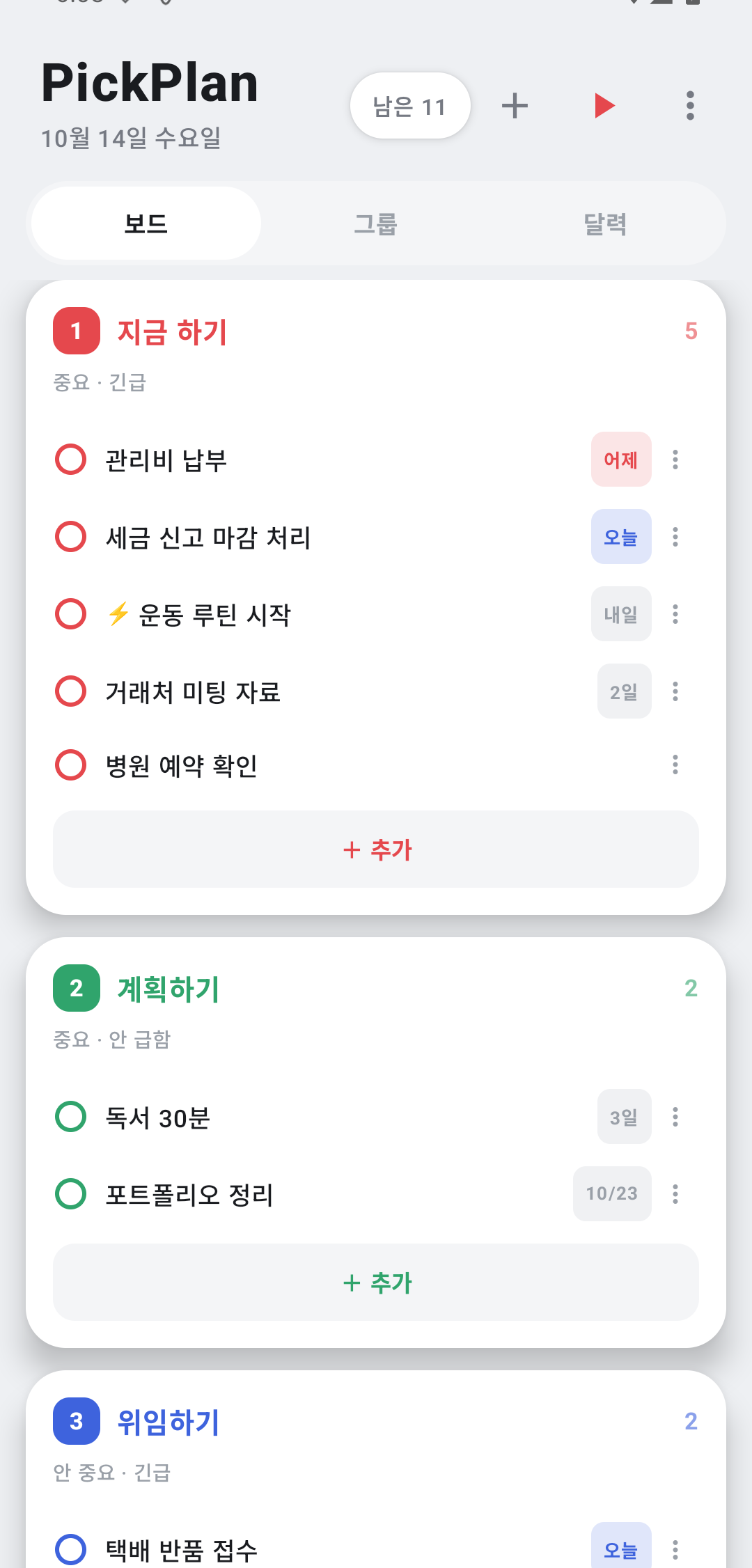
Most Eisenhower apps are a static grid you arrange by hand. PickPlan is alive: as a deadline approaches, important tasks rise to 'Do First' on their own. Your priorities move without you lifting a finger — and settle back when the deadline is far off.
Just speak — "dentist tomorrow, taxes by Friday, pickup at 4:40" — and AI splits it into separate tasks with the right dates and boards. You review, then add.
Type loosely and PickPlan infers the date and board. Fix it with a tap if needed. Fully offline, no account.
Overwhelmed? See just the single most important task, full-screen. Finish it, move to the next. No more decision fatigue.
Important and urgent. Tackle these right away.
Important but not urgent — plan them so they don't slip.
Urgent but less important — hand off or do quickly.
Neither important nor urgent — cut them out.
Bundle related tasks into groups with progress and collapse. Pick a group on the board to see just that project.
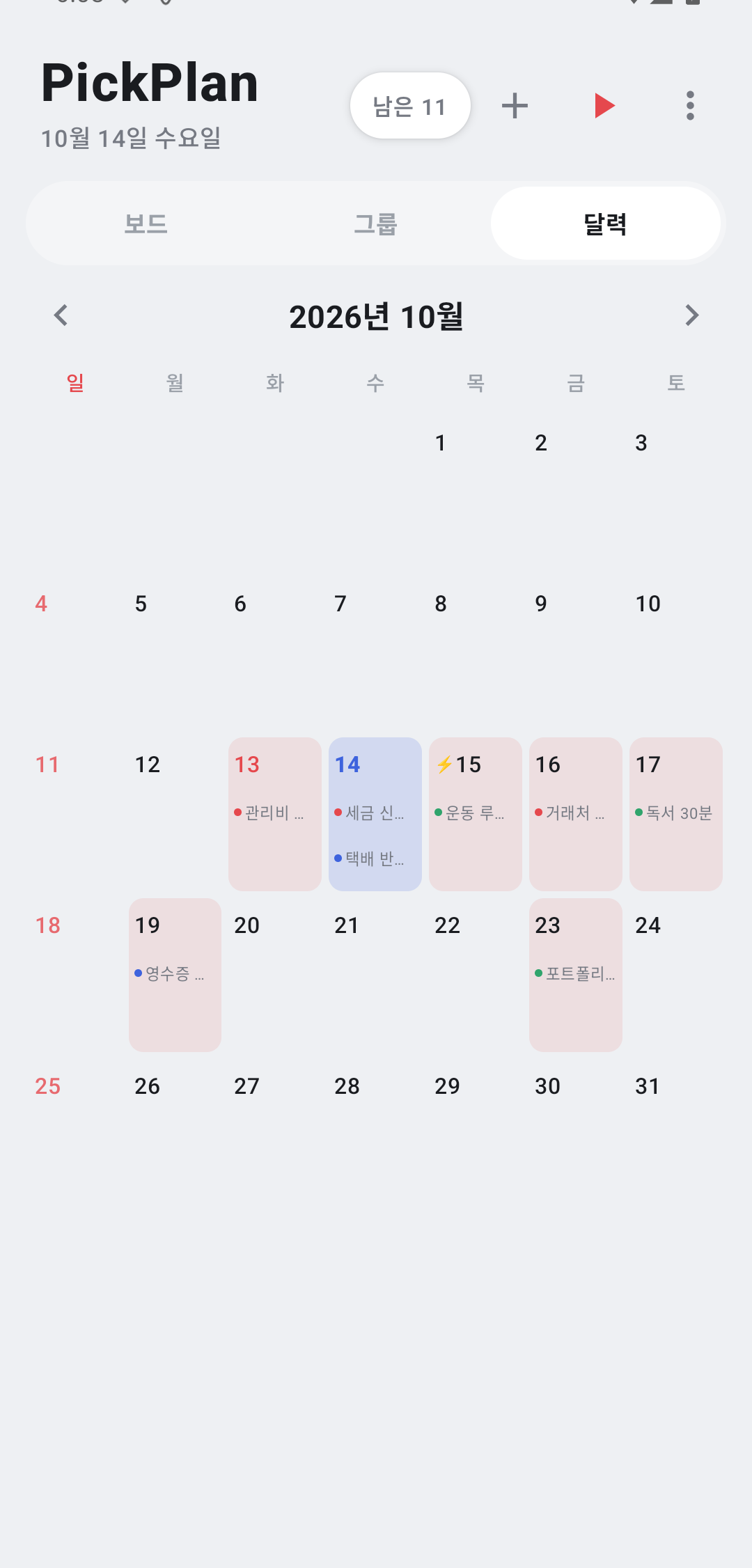
See tasks on their due dates — today highlighted, overdue in red. Swipe between Board, Groups, and Calendar.
Long-press to drag — reorder within a board, or drop into another board to reclassify.
Rename, recolor, and reorder the four boards your way, from an 8-color palette.
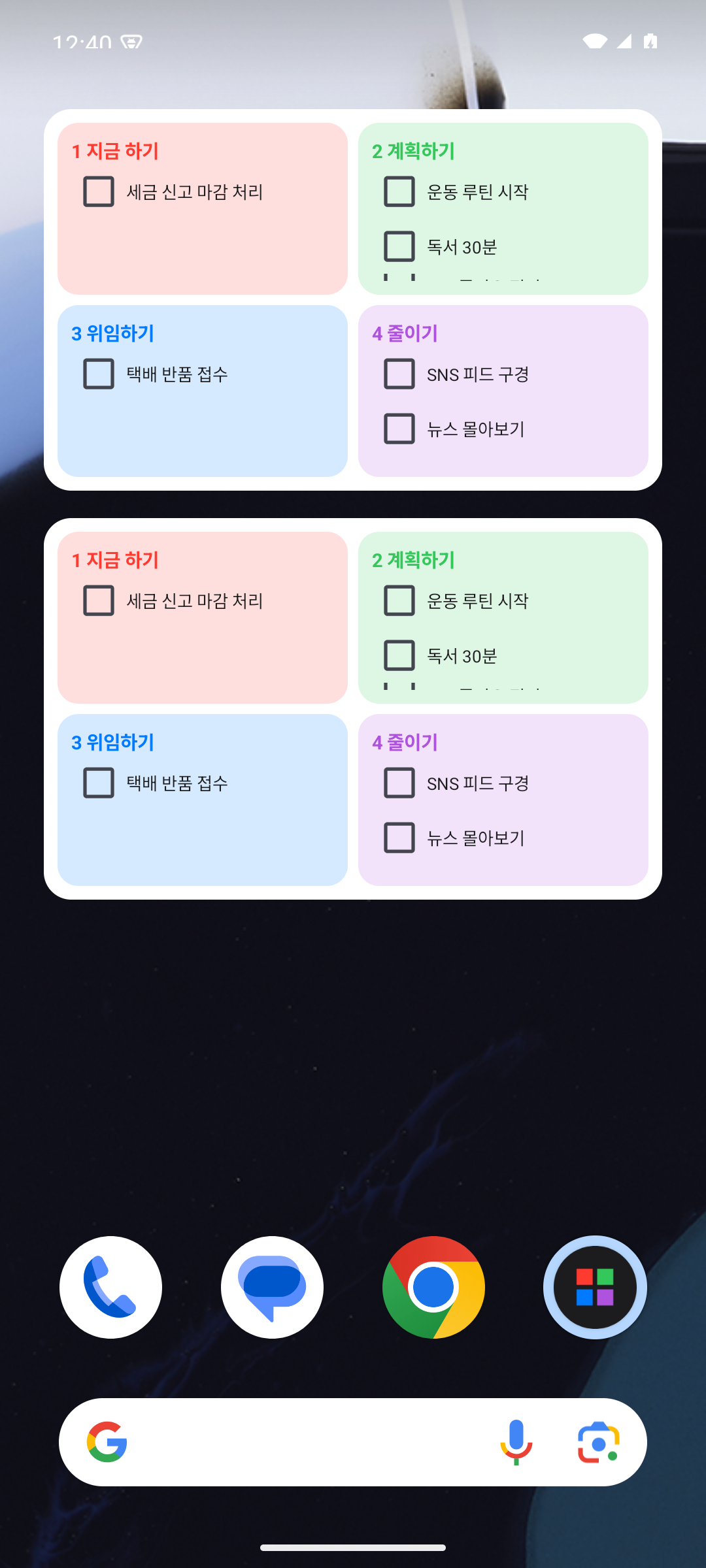
Light/dark, translucent widget glass, opacity and text size — all adjustable.
A daily nudge at a time you choose for what's due today or overdue. Widgets refresh 'today' at midnight.
Add from the app's ⋮ menu ▸ widget, or long-press your home screen ▸ Widgets ▸ PickPlan.
※ Personal, self-signed build. Since it doesn't go through the Play Store, you may see a warning — that's expected.